Animate JPEG and PNG Images with AI Picture to Video
Static images are now a valuable asset in marketing, education, entertainment and even personal storytelling. Thanks to modern Artificial Intelligence, plain old JPEG and PNG images can now be converted into interactive visual sequences that have realistic motion. This method allows you to produce movie-like material without requiring high-level movie editing skills or expensive equipment. Video, image, music, and voice generation come together in one conversational environment with Framia Pro, making creative workflows easier. Framia Pro is an integrated platform that coordinates the entire multimedia production with linked AI agents.
Understanding AI Picture-to-Video Animation for JPEG and PNG Images
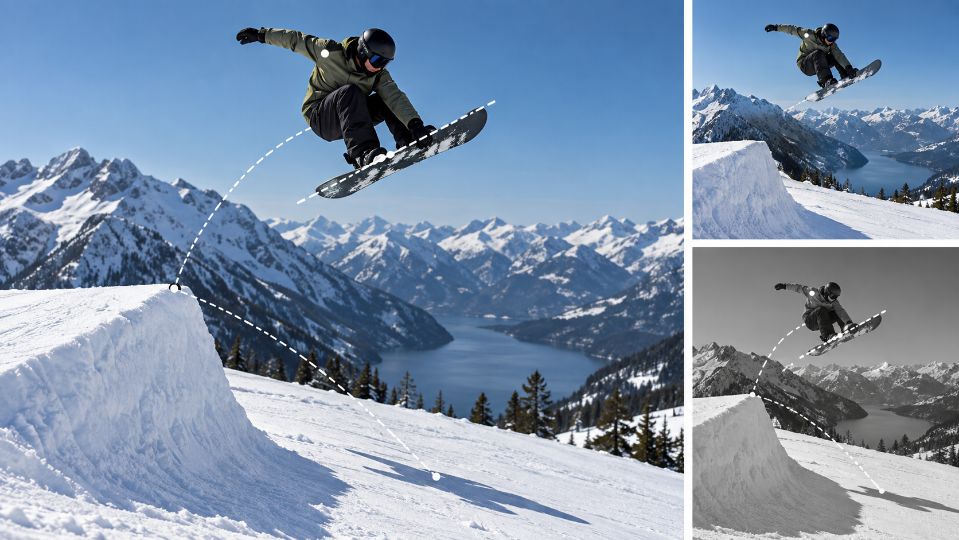
AI algorithms assess the structure, depth, lighting, subjects, and composition of an image and create realistic movements. Advanced models simulate camera moves and environmental changes rather than just moving the whole frame. These are the methods to make natural look animation without losing critical image details. JPEG and PNG are still popular choices due to their balance of quality, compatibility, and manageable file sizes. PNG also allows for transparent backgrounds, offering greater creative freedom for layered designs. Gentle zooms, cinematic pans, lighting adjustments and subtle motion can be achieved with AI picture to video technology, without needing to shoot anything live. In traditional video production, the camera, actors, locations and video editing software are necessary, and in intelligent animation, the impressive visual experiences are produced from existing photos by automated interpretation of the scenes.
Preparing JPEG and PNG Images for Better Animation Results
The quality of the images is crucial to successful animation, which is why careful preparation of these source images is essential for the use of artificial intelligence. High-resolution pictures capture fine texture, minimizing unwanted distortions in the generation of movement. Correct lighting enhances subject identification and allows models to accurately understand the shadows. Smoother cinematic motion is also created by clear subjects, which makes for stronger focal points. Consistent camera movement throughout the generation can be achieved by planning your camera movements before writing. Logically sorting multiple images helps to make the scene flow and the story polished. In the process of testing out lyric video generator ideas, thoughtful image planning can ensure that everything is in sync with the images and also guarantee uniform animation quality.
Creative Animation Techniques for Different Image Types
The animation style for different photographs will vary depending on the composition and the purpose of the story. Emotional portraits and product showcases are emphasized in cinematic slow push-ins. Smooth horizontal panning is used for landscape, architectural photography, and panoramic shots. Camera tilts add perspective to the frame in a realistic way without distracting viewers. Seamless transitions allow for multiple photographs to intermingle, creating continuous visual narratives rather than slide shows. AI also improves lighting, atmosphere, reflections and environmental depth for more cinematic impact. These enhancements turn normal image libraries right into captivating visual shows ideal for social media, marketing initiatives, academic demos, and inventive storytelling ventures.
Steps to Animate JPEG and PNG Images with AI Picture to Video
Step 1: Select the video creation tool and AI model
- Sign up for Framia Pro before getting started. Then open the “Home” tab from the left vertical menu bar. Click “Agent” from the drop-down menu located in the bottom-left corner of the dialogue box.
- Choose the AI model that will animate your uploaded images.
- Under the “Select models” menu, select the “Video” option.
- Pick from supported models, including “Seedance”, “Kling”, “Veo”, “Wan”, or “Gemini”.
Step 2: Upload JPEG or PNG images and add animation instructions
- Click the “+” tab and upload a JPEG, PNG, or multiple photos from your device to use as references.
- Enter a detailed prompt in the dialogue box that explains how the uploaded image should animate into a video.
- Open the “Settings” tab and select the aspect ratio, video duration, and video resolution.
- Click the “Generate” tab to begin animating your images.
Step 3: Fine-tune the animation and download
- Watch the generated animation using “Preview”. If more adjustments are needed, use the editing options in the bottom menu bar.
- You can “Upscale video”, “Regenerate video”, or refine the animation further with text prompts.
- Once satisfied with the final output, click the “Download” tab below the video to save it to your local device.
Best Practices for Animating JPEG and PNG Images Successfully
Following consistent practices improves animation quality and reduces unnecessary revisions during production.
- Use high-quality images, as they will have a good level of detail, which helps to interpret the movement.
- Create smoother and more realistic animation with clean, well-lit photos.
- Use descriptive prompts to indicate camera movement, direction and angle.
- Add lighting, atmosphere and mood preferences where appropriate.
- Choose the appropriate AI model for the type of animation.
- Check out several drafts and select the best one.
- Set up appropriate time, aspect ratio and resolution for publication.
- Use conversational editing rather than software based on time.
- Check all the animation before exporting the finished video.
Advantages of Using Framia Pro for JPEG and PNG Animation
Rather than breaking up the various stages of production, Framia Pro features several advanced creative tools within a single environment. There are over two dozen of the top AI models that allow for a variety of animation techniques to achieve different creative goals. Conversational editing makes revision easier since text instructions take the place of lengthy editing timelines. Consistency helps to maintain recognizable appearances from one scene to another. When related scenes are connected by motion transfer, the storytelling quality is enhanced. The integrated platform also integrates video, image, music and voice generation in a single workspace. Those who want to use the creative extras, such as an anime generator, gain from smooth production without having to navigate between different software.
Framia Pro Canvas for Connected Marketing Production
Framia Pro features a smart canvas which brings together specialized AI agents in one coordinated production workflow. An organized creative process turns a simple written objective into branded copy, visual assets, promotional graphics and full video content. Several supported models add the corresponding strengths at various stages of production without leaving the same workspace. The voice narration, background music, generated visuals and final editing are all seamlessly integrated through coordinated automation. This structured workflow eliminates manual coordination and ensures marketing materials are delivered polished and prepared for presentation, distribution or commercial publishing without depending on disconnected outside applications.
Expanding Creative Possibilities with AI-Animated Images
Moving pictures are useful for various industries as they grab more attention than non-moving ones. Social media makers take regular content and create interesting short-form videos that move like a film. Businesses create promotional product showcases without having to book costly video shoots. Educational presenters use animated diagrams and photos to enhance the audience’s understanding. Real estate pros make interactive home presentations with fluid virtual camera motion between the listing images. Families keep and share their treasured memories by turning personal photographs into cinematic keepsakes with emotional visual depth. Framia Pro integrates several creative disciplines into a single conversation workflow, minimizing the need for tool switching and facilitating wider multimedia production, from concept to finished results.
Conclusion
With the help of artificial intelligence, AI-generated videos have taken static JPEG and PNG images and turned them into animated, visually engaging videos with realistic camera moves, cinematic transitions, and intelligent scene enhancement. This way, production is simplified, and creative freedom is maintained in marketing, educational, business, and personal storytelling projects. Framia Pro combines several top-tier AI models, conversational editing, built-in multimedia generation and seamless creative workflows in a single platform. These features enable creators to achieve professional-quality image animation without relying on costly video editing software or technical workflows.



Post Comment