Video to Text Converter: Transcribe Any Video in Seconds
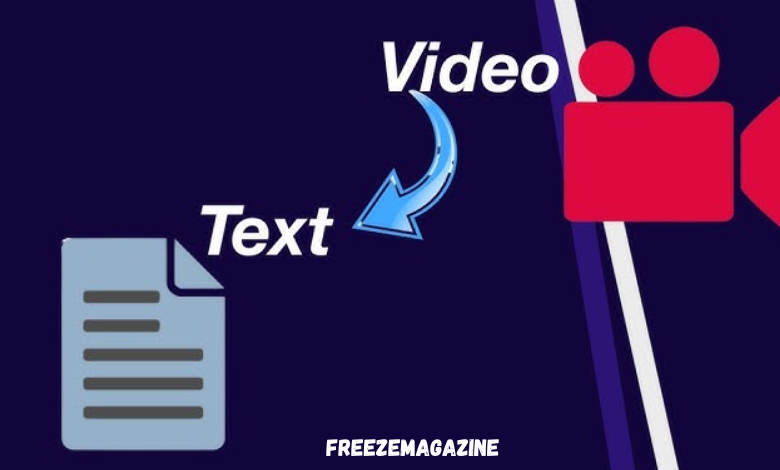
You hit pause. Rewind five seconds. Type two sentences. Hit pause again. Rewind again.
If you’ve ever tried to manually transcribe a recorded interview, lecture, or meeting, you know exactly how painful this is. A sixty-minute video can eat three hours of your day — and that’s if the audio is clean. Add background noise, multiple speakers, or a heavy accent, and the whole process becomes an exercise in frustration.
The video to text converter solves this entirely. Upload your file, select a language, and get a clean, timestamped transcript in minutes — no software installation, no specialist required.
Here’s everything you need to know about how it works and why it’s become a go-to tool for journalists, educators, legal teams, and content creators worldwide.
Why Manual Transcription Is Costing You More Than You Think
Time is the obvious cost. But there’s a subtler one: accuracy.
When you transcribe manually, fatigue sets in. You mishear words, skip phrases, and fill in gaps with what you think was said rather than what was actually said. For casual notes this might be fine. For a legal deposition, a published interview, or multilingual course material, even a single error can have serious consequences.
Professional transcription services solve the accuracy problem — but introduce a new one. A typical human transcription service charges per minute of audio, requires file uploads via email or third-party portals, and delivers results anywhere from a few hours to a few days later. For journalists on deadline or educators preparing next-week’s materials, that turnaround simply doesn’t work.
AI-powered video to text tools have changed the equation. They deliver near-human accuracy at a fraction of the cost, in a fraction of the time, without requiring you to install anything or create an account.
How a Video to Text Converter Actually Works
The technology behind modern video-to-text conversion isn’t just basic speech recognition. Earlier generation tools — the kind built into operating systems in the 2010s — struggled with anything beyond slow, clearly enunciated speech. They fell apart with accents, overlapping speakers, domain-specific vocabulary, or background noise.
Modern AI transcription is built on deep learning models trained on hundreds of millions of hours of real-world speech. These systems don’t just recognize phonemes — they understand linguistic context. They know that “two” and “to” sound identical but mean different things depending on what surrounds them. They handle simultaneous speakers, apply punctuation intelligently, and produce output that reads like written language rather than a raw phoneme dump.
The result: speech-to-text output that’s clean enough to publish directly or drop into a document without extensive editing.
A transcript isn’t just a written version of your video — it’s a raw material for a dozen different use cases.
Content repurposing is the most immediate. A thirty-minute recorded webinar becomes a blog post, a LinkedIn article, a set of social media quotes, and an email newsletter — all from a single video transcription pass. Creators who produce long-form video content are sitting on enormous amounts of text they’ve already spoken. A converter extracts it automatically.
SEO and accessibility are equally important. Search engines can’t index spoken audio. They can index text. Transcribing your video content and publishing the transcript alongside the video — or using it to generate captions and subtitles — makes your content discoverable by search and accessible to viewers who are deaf, hard of hearing, or watching in a sound-sensitive environment.
Research and documentation represent a third major use case. Journalists use transcripts to quote sources accurately without relying on memory. Legal teams use them to document depositions and client interviews. Researchers use them to code qualitative data from recorded focus groups and ethnographic interviews.
Key Features to Look for in a Video to Text Converter
Not every tool delivers the same output quality. These are the capabilities that separate a genuinely useful converter from one that produces more cleanup work than it saves.
Multilingual transcription support is non-negotiable for anyone working with international content. The best tools handle 60+ languages, including non-Latin scripts and right-to-left languages, with the same accuracy as English. If you’re working with Spanish interviews, Japanese lectures, or Arabic client calls, you need a video transcription tool that doesn’t treat those languages as an afterthought.
Timestamp precision matters more than most people expect. A transcript with accurate timestamps lets you navigate back to the source audio instantly, makes it far easier to cut and edit video based on the text, and is essential for generating properly synchronized captions. Without accurate timestamps, a transcript is just a wall of text.
Output format flexibility determines what you can actually do with the result. A good video to text tool exports in TXT for plain document use, SRT and VTT for caption files, and ideally in formats that integrate directly with video editors, CMS platforms, and research software.
Browser-based processing with encryption matters if your content is sensitive. Uploading client interview footage or internal meeting recordings to an unknown server with unclear data retention policies is a real risk. Reputable tools process files through encrypted pipelines and delete them after conversion — something worth verifying before you upload anything confidential.
[Link Placeholder: External link to “Whisper AI speech recognition” or Mozilla DeepSpeech research]
Who Uses Video to Text Conversion Most?
The use cases span every industry that works with recorded speech.
Journalists and podcast producers use transcription to pull quotes, build show notes, and repurpose long-form audio into written articles. A one-hour interview becomes a searchable, referenceable document the moment it’s transcribed.
Educators and course creators convert recorded lectures into structured notes, multilingual reading materials, and accessibility-compliant course content. A university lecturer reaching international students doesn’t just need a transcript — they need a multilingual one.
Legal and compliance professionals depend on accurate speech-to-text output for depositions, client meeting notes, and evidence documentation. In legal contexts, precision isn’t a feature — it’s a requirement.
Content marketers and social media managers use transcription as the first step in a content repurposing pipeline. The spoken word, captured and structured, becomes the foundation for written content across every channel.
The Real Reason AI Transcription Has Replaced Traditional Methods
Speed and cost explain part of the shift. But the deeper reason is reliability at scale.
A human transcriptionist produces roughly one page of transcribed text per hour of audio worked. An AI video to text converter produces the same output in under two minutes. For someone transcribing fifty hours of recorded content per month, that’s the difference between a full-time resource and a browser tab.
The accuracy gap between AI and human transcription — once a genuine barrier to adoption — has closed dramatically for standard speech conditions. Modern models achieve transcription accuracy above 95% for clear audio in supported languages. For most professional use cases, that’s accurate enough to use without manual correction.
For edge cases — extremely heavy accents, highly technical vocabulary, courtroom-quality legal transcripts — human review is still advisable. But as the first pass that eliminates ninety percent of the manual work, AI transcription has no serious competition.
Start Converting Your Videos in Under a Minute
The process is about as simple as it gets. Upload your MP4, MOV, WebM, or MKV file. Select your output language. Generate.
No account required. No software to download. No credit card.
You’ll have a timestamped, formatted transcript ready to copy, edit, or export — in the time it used to take to rewind a video twice.






Post Comment