How to Organize a Messy Desktop to Boost Focus with iTop Easy Desktop
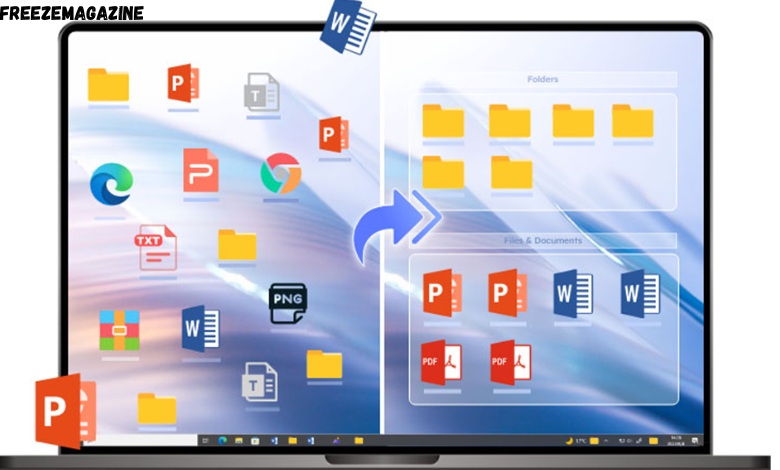
When your screen is packed with random files, shortcuts, screenshots, and folders, your brain has to work harder just to find what you need. That constant visual noise quietly drains focus, slows your workflow, and increases stress throughout the day.
Fortunately, organizing your desktop no longer means wasting time dragging icons into folders again and again. With smart automation tools like iTop Easy Desktop, you can turn a chaotic desktop into a clean, distraction-free workspace that actively supports focus and efficiency.
In this guide, we’ll explore why desktop organization matters, why automated desktop organizer software is the best solution, and how to clean up your Windows desktop step by step using iTop Easy Desktop.
Why a Messy Desktop Hurts Your Focus
Your desktop is the first thing you see when you turn on your PC. When it’s overloaded with files, your attention is pulled in multiple directions before you even start working. Studies on visual clutter suggest that excess stimuli reduce concentration and increase cognitive fatigue.
A messy desktop can:
- Make files harder to locate
- Slow down daily tasks
- Create mental stress and distraction
- Make your workspace look unprofessional
That’s why organizing your desktop isn’t just about aesthetics—it’s about creating an environment that helps you think clearly and work faster.
Best Option: Automate Desktop Cleanup
Why Manual Organization Doesn’t Work Long-Term
Manually arranging desktop icons might feel productive at first, but it rarely lasts. New downloads pile up, screenshots appear, and suddenly your neat layout is gone. Even using a desktop cleanup shortcut key only provides temporary relief.
Manual workflows have clear downsides:
- Repetitive and time-consuming
- Easy to forget where files are stored
- Clutter returns quickly
Benefits of Desktop Cleaner Software
Automated desktop organizer software solves this problem at the root. These tools automatically group files, categorize shortcuts, and hide unused items until needed.
Key advantages include:
- One-click or automatic cleanup
- Consistent organization
- Reduced visual distractions
- Always knowing where your files are
For Windows users, one of the most efficient solutions available is iTop Easy Desktop.
Clean Up Desktop for Windows 11 with iTop Easy Desktop
iTop Easy Desktop is a smart desktop organizer designed to help users regain control of their workspace instantly. Instead of endlessly rearranging icons, it uses flexible “Boxes” to group files, apps, and folders into a structured layout.
With automation, widgets, privacy tools, and customization options, it’s a complete productivity upgrade for Windows 10, 11, 8, and 7.
Steps to Organize with iTop Easy Desktop
Step 1. Auto-Organize Your Desktop
After installing iTop Easy Desktop, your desktop icons are automatically grouped into organized boxes. Files, folders, and shortcuts are neatly separated, instantly removing clutter without manual effort.
Step 2. Customize Boxes for Better Logic
You can create, rename, resize, and color-code boxes based on your workflow. For example:Work, Personal, Projects, Media. This logical categorization makes finding files effortless.
Step 3. Add Productivity Widgets
Instead of cluttering your desktop with this desktop organizer software, you can add widgets such as: Clock, Weather, iNotes, Schedule, iPomodoro. These tools keep essential information visible without overwhelming your screen.
Step 4. Enable Desktop Pet – PawPal
PawPal is an engaging digital desktop companion introduced in the latest iTop Easy Desktop version 4.0. It is meticulously designed to serve as an adorable, “living” companion that resides on your Windows home screen, providing companionship while you attend to your work.
l Interactive Companion: PawPal is a virtual pet (usually a cat) that stays on your desktop. It isn’t just a static image; it moves, reacts, and makes sounds like “Meowing” or “Prrrr.”
l Dashboard Access: It features a dedicated “My Dashboard” where you can likely track its status or manage settings.
Step 5. Hide or Unhide Files Instantly
Double-click anywhere on the desktop to hide all boxes and icons. This gives you a completely clean view whenever you need maximum focus—perfect for presentations or deep work sessions.
Step 6. Secure Sensitive Data with Private Box
For confidential files, iTop Easy Desktop offers a Private Box feature. Lock important documents with a password to prevent unauthorized access, adding an extra layer of privacy to your desktop.
Step 7. Use Smart Features Like Smarter Roll
With the Smarter Roll function, boxes automatically roll up when they reach the edge of the screen. This saves valuable screen space while keeping everything accessible.
Core Features of iTop Easy Desktop
- Organized Boxes for Every File Type: Files are grouped into categorized containers—PDFs, images, apps, or documents—reducing chaos and saving time spent searching.
- Lock Your Boxes for Privacy: Password-protected boxes ensure sensitive files stay hidden and secure, even if someone else uses your PC.
- Automatic Sorting for New Files: Every new document dropped onto your desktop is instantly sorted into the right box—no repeated cleanup needed.
- Thousands of Free Wallpapers: Choose from minimal, nature, anime, gaming, or 4K live wallpapers to personalize your desktop without clutter.
3 Non-Software Ways to Clean Up Your Desktop
If you prefer not to install extra tools, here are three simple methods:
- Hide All Icons: Temporarily hide desktop icons through system settings to reduce visual noise.
- Use Pin to Quick Access: Store frequently used folders in Windows Quick Access instead of the desktop.
- Optimize the Start Menu: Pin apps and documents to the Start Menu, keeping your desktop clean without losing access.
Final Thoughts
A clean desktop isn’t just about looks—it’s about clarity, focus, and efficiency. While manual methods offer temporary fixes, automated solutions provide lasting organization. With its smart Boxes, privacy tools, widgets, and customization options, iTop Easy Desktop stands out as a powerful desktop organizer software for Windows users who want less clutter and more productivity.
If you’re serious about boosting focus and maintaining a clean workspace every day, automating your desktop organization is the smartest move you can make.








Post Comment