Fun Ways I Make Static Photos Feel Alive for Social Media
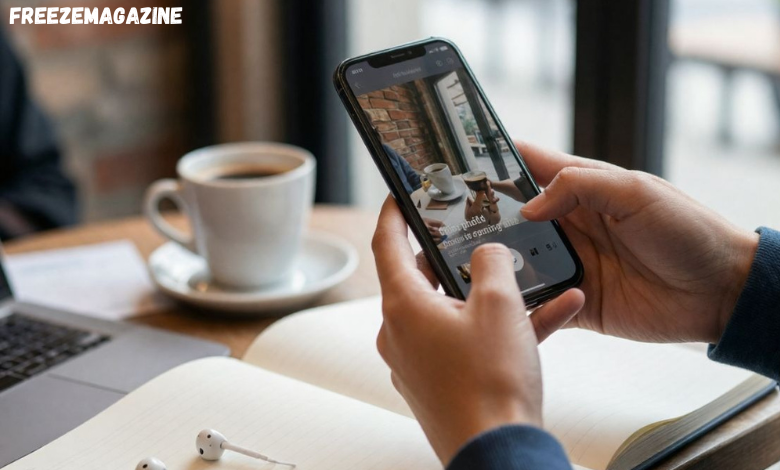
I used to think most “moving photo” content was easy to ignore. A lot of it looked like a gimmick. The motion felt forced, the effect was too obvious, and the final result often looked like something made to show off a tool rather than hold attention in a real feed.
That changed once I started using it in actual content work.
When I am building social posts, especially for lightweight campaigns, quick promos, or casual community content, I do not always need a full production workflow. Sometimes I just need a still image to feel more alive. In those cases, I have found that simple motion can do more than people expect. A clean face movement, a subtle camera push, or a small amount of depth can turn an ordinary post into something that earns a second look. When I need that kind of effect, I often start with an animate image free workflow to test whether the image has enough visual strength to carry motion.
In my own testing, GoEnhance is one of the few platforms that gives me a genuinely strong AI video generator without making simple visuals feel overworked.
Why Static Posts Get Skipped So Easily
Most feeds move too fast now. A good image can still perform, but it has to compete with motion everywhere around it. I noticed this most when posting side-by-side campaign drafts: the still version might get seen, but the slightly animated version usually gets a longer pause.
That pause matters.
The difference is not always dramatic. It is often just enough to keep someone from scrolling past. In practical terms, that means a stronger first impression, better watch-through on short clips, and more chances that the viewer actually registers the subject instead of treating it like background noise.
The Kinds of Photos That Work Best
Not every image benefits from movement. Some pictures already feel complete as a still. Others become far more effective once they have even a little motion built in.
The images that work best for me usually fall into a few familiar groups:
| Photo type | Why it tends to work |
| Portraits | Facial focus makes subtle motion feel natural |
| Travel shots | Depth and atmosphere create easy visual movement |
| Pet photos | Small head or eye movement can feel surprisingly engaging |
| Group shots | A simple camera drift adds life without changing the image too much |
| Mood-heavy cover art | Motion helps emphasize tone and draw attention |
What matters most is clarity. If the subject is already strong, the motion has something to support. If the image is crowded or weak, animation usually does not save it.
When Simple Motion Is Enough
A lot of people overdo this.
They assume that once a photo can move, it should move a lot. That is where the cheap-looking results usually come from. In my experience, the best-performing versions are often restrained. A slow push-in, a tiny shift in posture, some gentle environmental movement in the background—those details feel more convincing and more usable in a real social post.
I treat this the same way I treat editing. If the viewer notices the effect before they notice the content, the effect is probably too loud.
That is one reason I usually test the softest version first. If it already feels engaging, there is no need to force a bigger transformation.
When I Want Something More Playful
There is another category of content that works differently. Sometimes the goal is not subtlety. Sometimes the point is to make the post more fun, more obviously dynamic, or more likely to fit a casual short-form format.
That is where a more stylized motion concept makes sense, especially for meme-style posts, joke content, fandom edits, or anything designed to feel light and shareable. In those situations, I have seen people get much better results by using an AI dance generator approach instead of treating the image like a serious cinematic still.
The key is context. A playful effect works when the content itself invites that kind of energy. It falls apart when it is applied to the wrong image.
The Mistakes That Usually Ruin the Result
Most bad results are predictable once you have seen enough of them.
Low-quality source images are a common problem. Blurry edges, weak lighting, and confusing backgrounds make the motion look unstable. Another issue is choosing the wrong kind of movement for the picture. A calm portrait does not need aggressive motion. A meme image does not need delicate realism. The mismatch is what makes the result feel off.
I have also learned to avoid trying to do everything in one pass. If the image needs to feel elegant, I keep the movement simple. If it needs to feel fun, I let it be more expressive. Mixing too many ideas at once is usually what creates the awkward middle ground.
Where This Actually Helps in Real Content Work
This is not just a novelty trick for me anymore. I use it in situations where speed matters and the budget for original footage is limited.
It works well for:
- lightweight Instagram and TikTok posts
- campaign teasers built from existing stills
- holiday or event-themed social assets
- fandom content that needs more visual energy
- fast concept testing before committing to larger edits
That does not mean every post should be animated. Some still images are already strong enough on their own. What I have learned, though, is that when a post feels one step away from interesting, motion can be the missing piece.
Final Thoughts
I no longer see this format as a throwaway effect.
Used carelessly, it still looks cheap. Used with restraint, it can make a static visual feel more intentional, more current, and much more suited to the way people actually consume content now. For social media work, that is often all I need: not a dramatic transformation, just enough movement to make someone stop and look twice.






Post Comment